
Little plug here for Alsoft Disk Warrior. My not-very-old 500GB lacie eXtreme drive recently stopped mounting on my MacBookPro. If I fired up Disk Utility, it could see the drive but couldn’t fix it’s errors.
DiskWarrior however set to the task with with enthusiasm, and even gave me a delightfully detailed log as a PDF about what nasties it fixed. So much cheaper than a new Lacie!
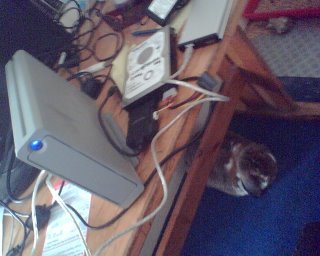
Part of the solution was a new 120GB portable drive to consolidate and separate out my music collection. I have found two useful tools in this quest.
One is called The Godfather (Windows) and is a typically ugly programmer-designed bit of software that can re-tag and re-arrange your music. I only used it to grab all my files and put them sensibly in Artist/Album/ folders, although I suspect it could do so much more.
This has lead to what must be a universal conundrum How do you handle “various artist” albums in your music collection? Now, I am struggling here, so suggestions are welcome. I have moved my various albums into a folder called just that, thereby reducing the mass of top level artist folders, but, I still have a royal mess in my media player when viewing the artists list. How do I quickly avoid this? I don’t care to see artists with one song in my collection… ideas please?
OK, last top Mac tip. I forgot that my new portable drive would be formatted as NTFS by default (which OS X doesn’t want to write to..). Damn, but no matter, I found this NTFS-3g driver, which gives me full read/write/modify on the Windows formatted disk.